v2.1.5 · self-hosted
Your saved recipes, finally ready to cook.
Recetario C imports the recipes you save on Instagram and turns them into recipe cards with scalable ingredients, video, a shopping list, a weekly planner and estimated prices. Self-hosted at home on your own mini PC.
This is the real app with sample recipes: watch the tour or try it yourself (search, servings, planner, shopping). Nothing is saved.
Features
What already works in version 2.1, and what comes next.
Import from Instagram
Step-by-step wizard: pick a collection, review the posts and choose video, photo or both. Detects duplicates.
Choose what to bring from each post and the app downloads it in the background.
AvailableVideos and cooking mode
The original video is stored on your server. Cooking mode with large steps and timers.
Every step has its own timer; the screen stays on.
AvailablePersonalised shopping list
Adds up ingredients from recipes and the plan, merges units and skips what is already in your pantry.
Tick what is already in the trolley; sorted by aisle.
AvailablePantry
Staples and recurring items kept off the list. Stock quantities and deduction when you cook: in phase 3.
What you always have at home stays off the list.
Basic · stock coming soonWeekly planner
Plan lunches and dinners; servings start from each recipe and flow into the list.
Drop recipes on each day; servings adjust themselves.
AvailableEstimated prices
Cost per serving and total for every recipe, always labelled as an estimate.
The price is recalculated when you change servings.
AvailableStatistics and “cheaper now”
Price history, most-cooked recipes and alerts when a recipe is cheaper than its average.
Simple charts of what you cook and what it costs.
Coming soonAI and MCP
“Connect your AI” with OpenAI, OpenRouter or local Ollama (encrypted keys). REST API and MCP server with read or write tokens.
Your AI can read and create recipes with scoped permissions.
Available
Screenshots
Real screenshots of the app with sample recipes and free CC0 photos. The computer screenshots show the Spanish interface.
Recipe grid (v2.1.2) Recipe detail with servings and prices Weekly planner Shopping list Filters by time and price “Single” view “With info” view 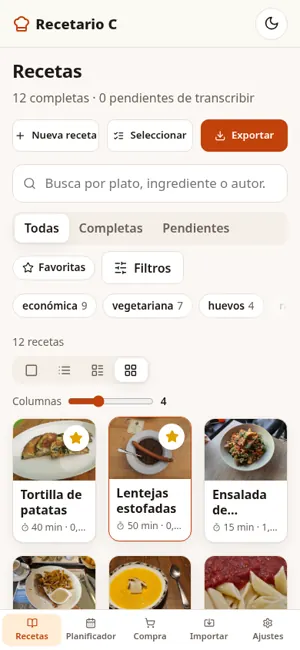
List on mobile 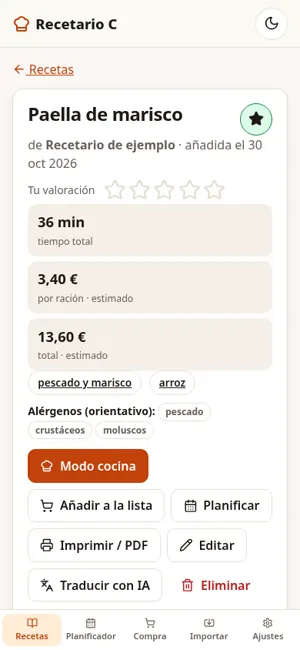
Detail on mobile 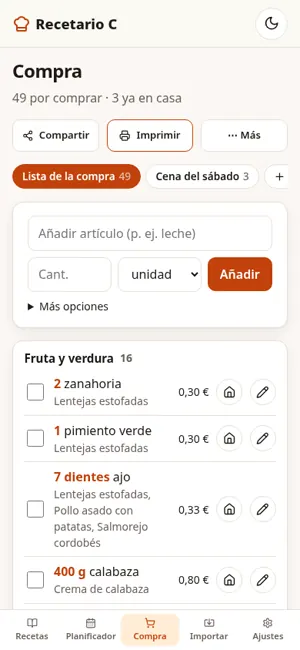
Shopping on mobile On mobile


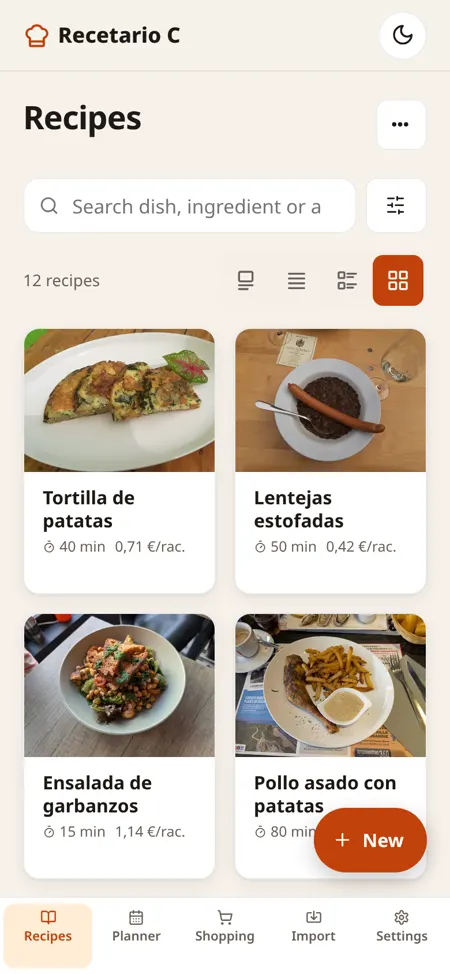
Recipes on mobile: photo grid, search and filters 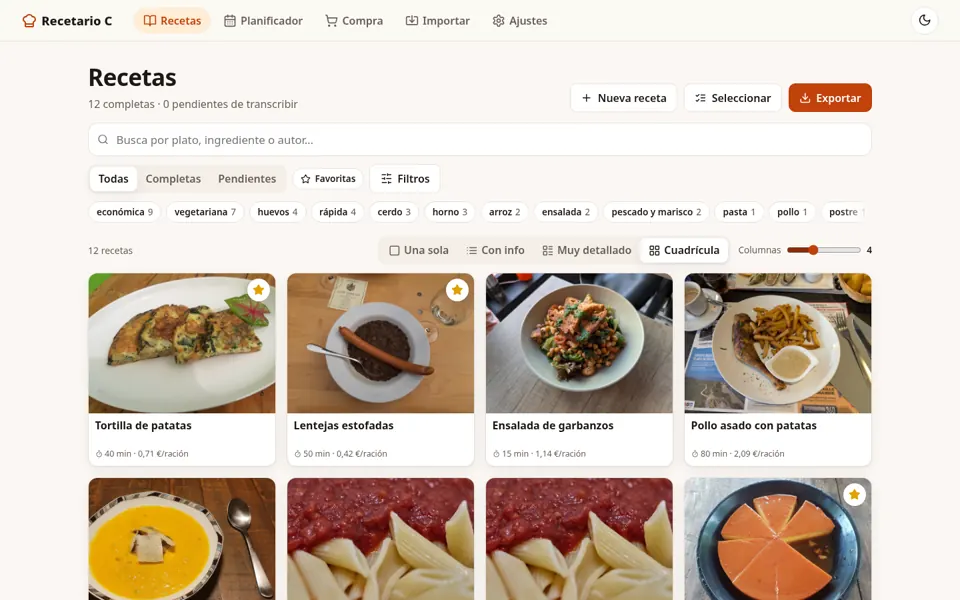
Also on your computer: the recipe grid in the browser (Spanish interface) 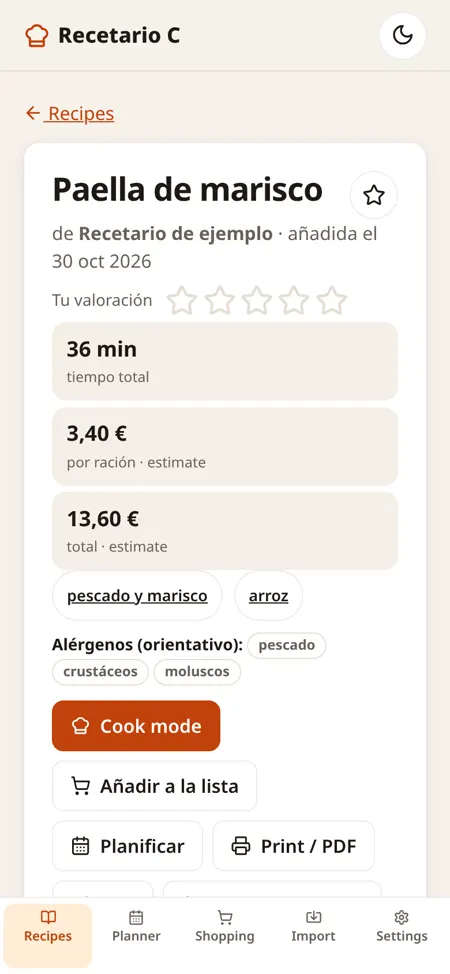
Paella detail on mobile: time, price per serving and allergens 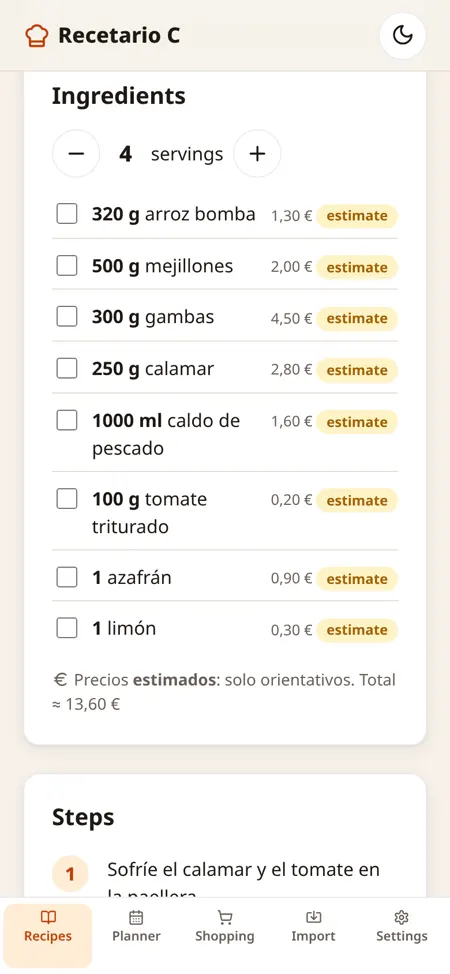
Ingredients with a servings picker and an estimated price for each 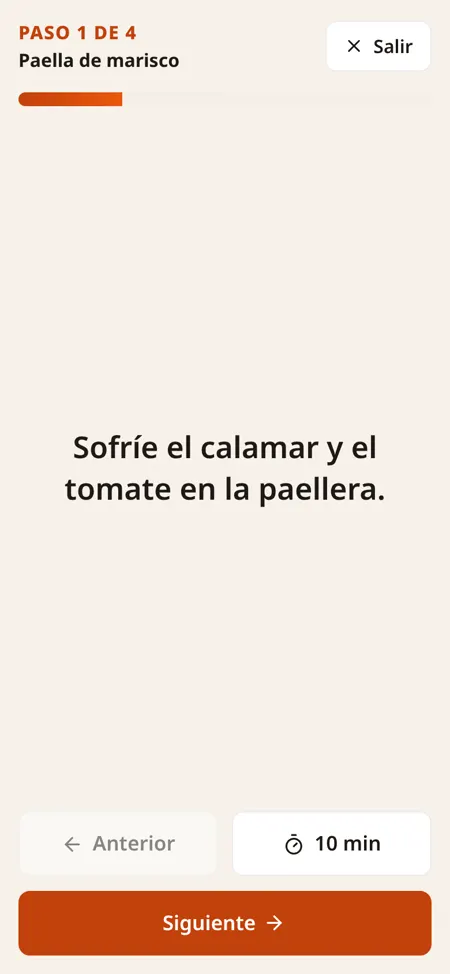
Cook mode: one full-screen step with a timer 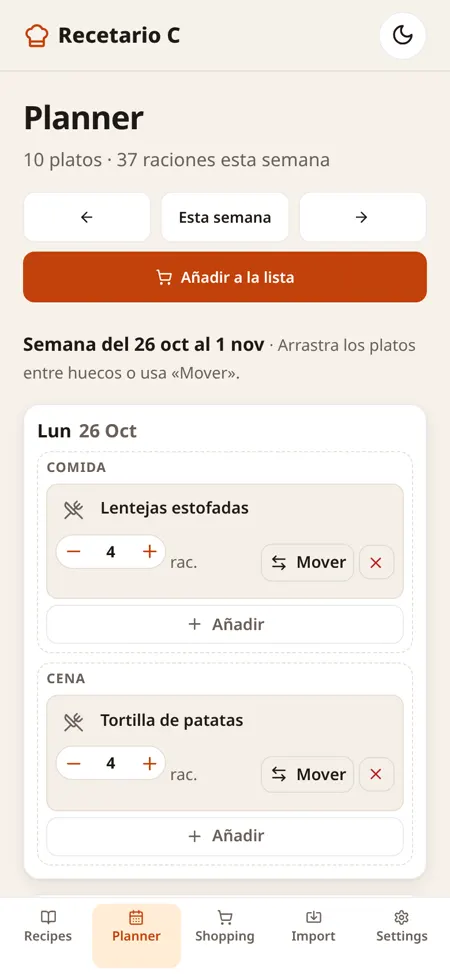
Weekly planner on mobile: lunch and dinner for each day 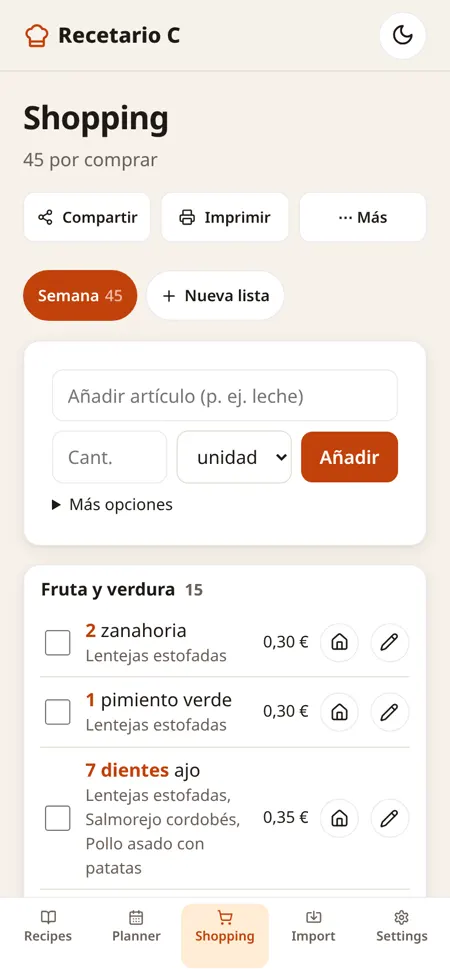
Shopping list on mobile, grouped by aisle 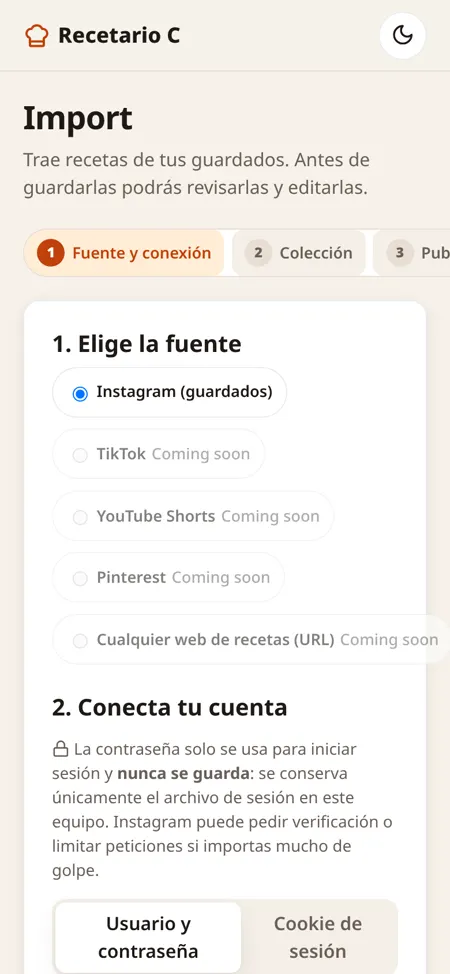
Import recipes saved on Instagram, step by step 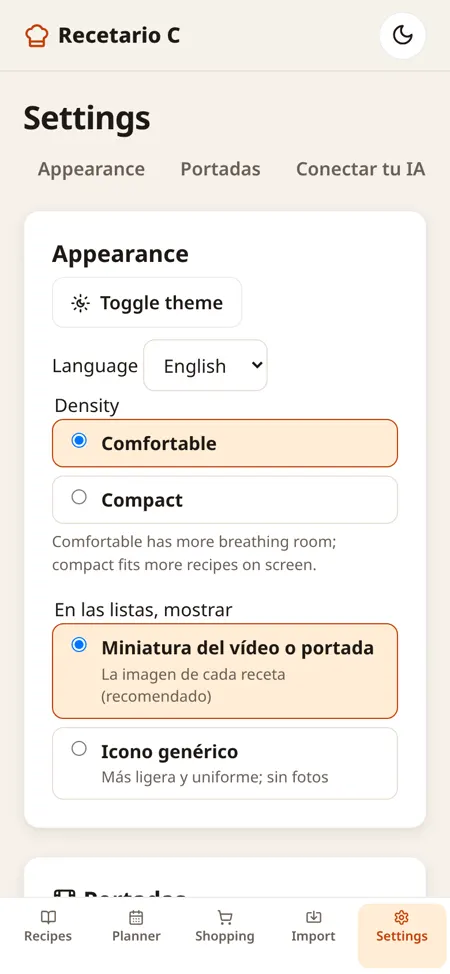
Settings: theme, language and list density


Price per serving
Pick a sample recipe and the servings: the total is recalculated just like in the app (estimated prices).
Tech stack
No frontend frameworks and no mandatory third-party services.
- FastAPI + UvicornPython API and web server
- SQLiteSingle-file database with migrations
- Vanilla JavaScriptSingle-page interface, no build step
- MCPModel Context Protocol server (HTTP and stdio)
- InstaloaderReads saved collections
- ffmpegVideo covers and thumbnails
- cryptography + Argon2Fernet-encrypted AI keys, Argon2 password hashes
- pytest + PlaywrightAutomated tests and screenshots
App: coming soon
A mobile app with your recipes offline, the shopping list at the supermarket and the week's plan. Still being designed.